Get the key points from a YouTube video
Une fois l'extension gratuite EvidenceLens pour Chrome installée, vous pouvez lire un résumé concis à côté de la vidéo, poser des questions sur son contenu et vérifier des affirmations factuelles en vous appuyant sur des travaux de recherche.
L'extension de navigateur est indispensable. Elle est compatible avec Chrome, Edge, Brave, Opera et Vivaldi.
Watch the product demo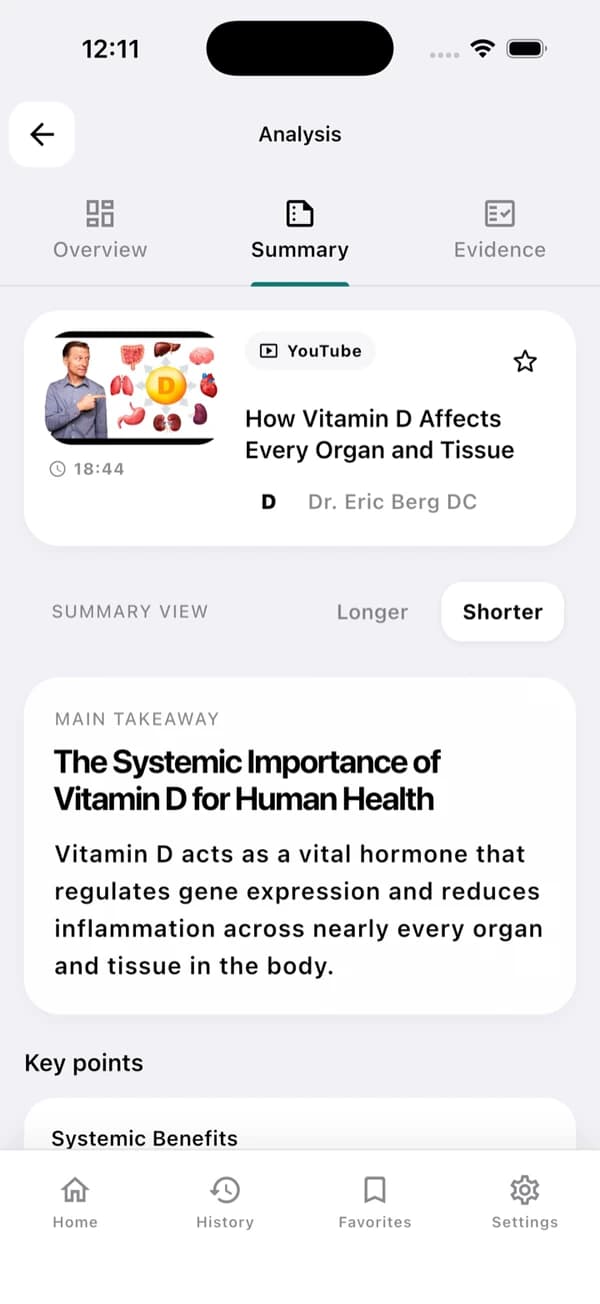
Voici un exemple d'écran de l'application. Les résultats dépendent de la vidéo et de sa transcription.
A useful YouTube summary in three steps
Lisez d'abord l'essentiel, puis ouvrez les preuves lorsque vous en avez besoin.
Install and open a YouTube video
Téléchargez EvidenceLens depuis le Chrome Web Store, puis ouvrez une vidéo qui dispose d'une transcription.
Generate the summary
À partir de la transcription, vous obtenez un message principal clair, les points clés et des notes structurées.
Check the claims
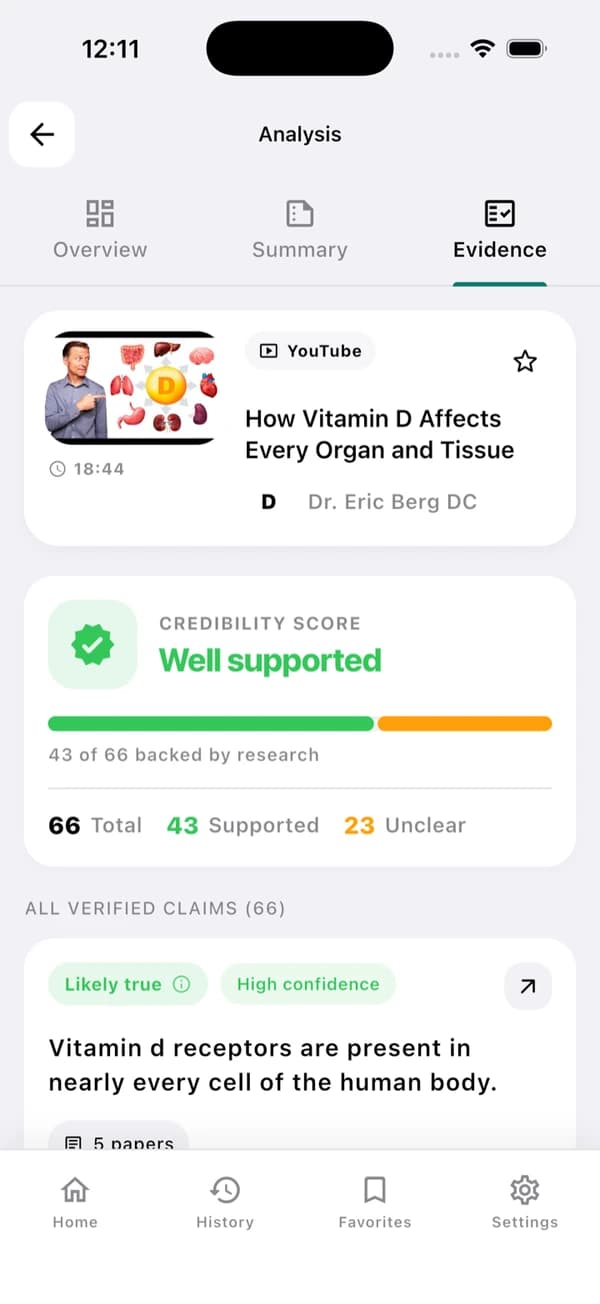
Parcourez les verdicts, les réserves et les liens vers les travaux de recherche qui concernent les affirmations factuelles.
Understand the video — and inspect its claims
EvidenceLens associe un récapitulatif concis à une vérification des affirmations factuelles fondée sur la recherche. Vous pouvez ouvrir les publications citées et examiner vous-même les limites.
Concise video summaries
Pour connaître le message principal et les points clés d'une vidéo, inutile de la regarder en entier.
Transcript-grounded answers
Les réponses s'appuient sur ce que la vidéo dit réellement.
Research-backed claim checks
Comparez les affirmations factuelles aux publications de recherche pertinentes.
Follow-up questions
Vous pouvez demander des précisions, du contexte, des repères temporels ou davantage de détails.
Fast answers with visible limitations
Chaque résultat renvoie à la vidéo d'origine et aux travaux de recherche utilisés pour l'évaluer.
Sources you can inspect
Vous pouvez ouvrir les articles cités et examiner les preuves sur lesquelles repose chaque verdict.
Honest caveats
Si la recherche est limitée ou que ses résultats sont mitigés, le résultat est présenté comme incertain plutôt que ramené de force à une réponse catégorique.
Based on the transcript
Les résumés et les réponses aux questions de suivi restent fondés sur le contenu de la vidéo.
Beside the YouTube player
Résumez et vérifiez sans quitter la page de la vidéo.
YouTube summarizer FAQ
À savoir avant de commencer.
Can EvidenceLens summarize any YouTube video?
EvidenceLens fonctionne avec les vidéos YouTube publiques dont la transcription est accessible. Une vidéo peut ne pas pouvoir être analysée si elle est très récente, privée, soumise à une restriction d'âge ou dépourvue de transcription.
Is the YouTube video summarizer free?
Oui. L'offre gratuite inclut chaque mois des résumés, des vérifications d'affirmations et des messages de discussion. Vous pouvez commencer sans carte bancaire, et une offre supérieure n'est nécessaire que si vous avez besoin de limites plus élevées.
Do I need to install anything?
Oui. Pour l'utiliser sur ordinateur, installez l'extension EvidenceLens pour Chrome ; sur Android ou iPhone, installez l'application, puis partagez un lien YouTube avec elle. C'est dans l'extension ou l'application que les résumés sont créés, tandis que cette page présente le produit.
Does it only create an AI summary?
EvidenceLens ne se contente pas de rédiger un résumé concis : il repère aussi les affirmations factuelles et les confronte à la recherche. Il indique en outre les réserves et fournit les liens vers les publications qui fondent chaque verdict.

Make your next YouTube video easier to understand
Pour commencer gratuitement, installez EvidenceLens. Vous pourrez ensuite obtenir les points clés, poser vos questions et explorer les travaux de recherche.