Turn a YouTube link into a clear summary
Android나 iPhone에서는 EvidenceLens를 설치한 뒤 YouTube 링크를 앱으로 공유하세요. 그러면 핵심 내용을 확인하고, 이어서 질문하고, 사실에 관한 주장을 연구와 대조해 확인할 수 있습니다. 기사와 PDF 파일에도 쓸 수 있습니다.
Android 또는 iPhone 앱이 있어야 합니다. 앱을 설치한 다음 YouTube에서 링크를 공유하거나 EvidenceLens에 링크를 붙여넣으면 됩니다.
Watch the product demo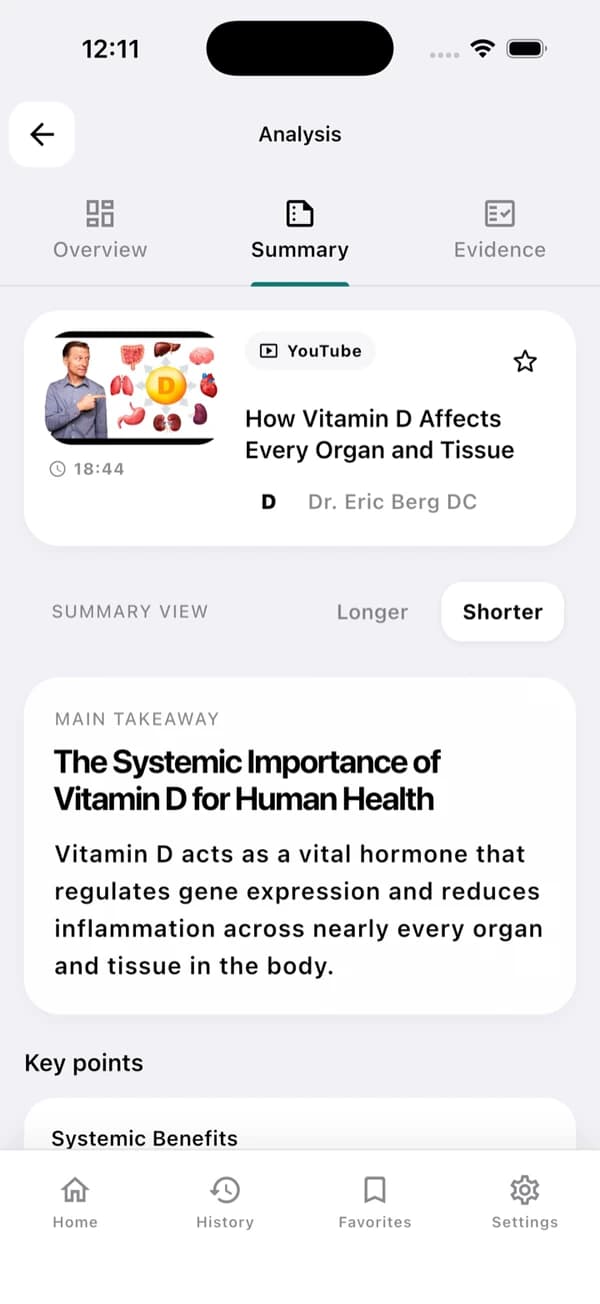
앱 화면 예시입니다. 실제 결과는 영상과 해당 스크립트에 따라 달라집니다.
A useful YouTube summary in three steps
먼저 핵심 내용을 확인하고, 근거는 필요할 때 찾아보세요.
Install the app and share a link
앱 스토어에서 EvidenceLens를 내려받으면 YouTube 영상을 앱으로 공유할 수 있습니다. 공유하는 대신 영상 URL을 앱에 붙여넣어도 됩니다.
Generate the summary
명확한 핵심 요지와 주요 내용, 구조화된 노트를 받아 볼 수 있으며, 모두 스크립트를 바탕으로 만들어집니다.
Check the claims
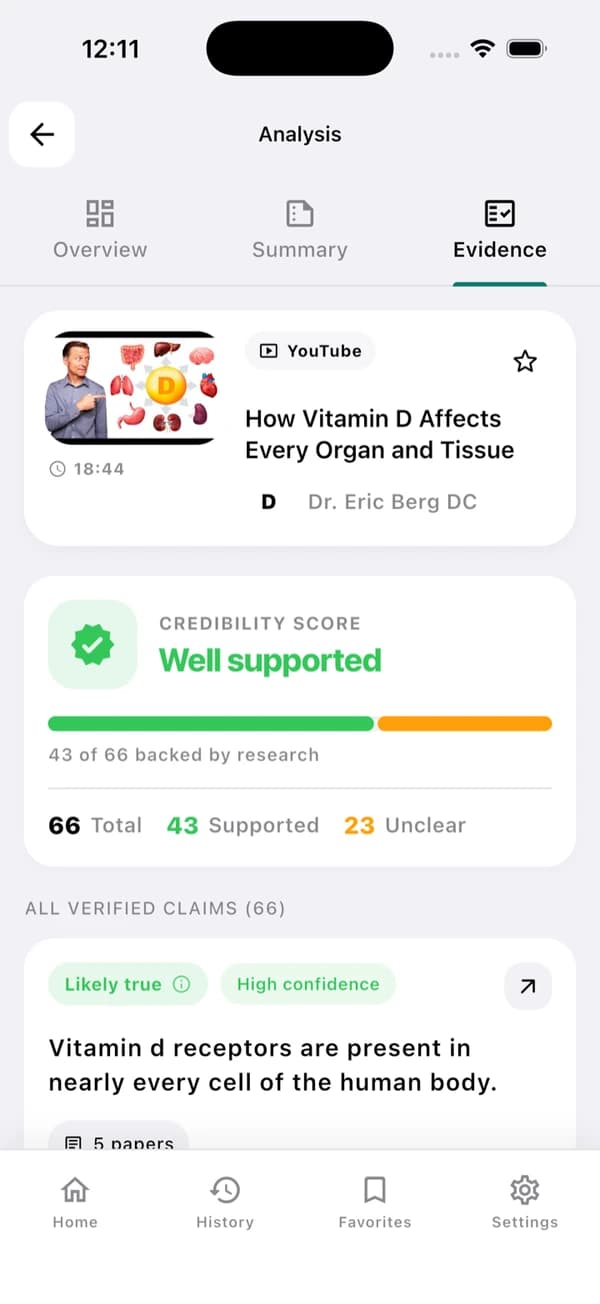
사실 주장에 대한 판정과 유의 사항은 물론, 그 근거가 된 연구 링크까지 살펴보세요.
Understand the video — and inspect its claims
EvidenceLens는 간결한 요약에 더해 연구에 기반한 사실 주장 검증도 제공합니다. 인용된 문헌을 직접 열어 보고, 한계점도 스스로 검토할 수 있습니다.
Concise video summaries
영상을 끝까지 보지 않아도 핵심 요지와 주요 내용을 파악할 수 있습니다.
Transcript-grounded answers
영상 속 실제 내용을 근거로 한 답변을 받아 보세요.
Research-backed claim checks
사실 주장을 관련 연구 문헌과 대조해 보세요.
Follow-up questions
더 설명이 필요한 부분이나 배경 맥락, 타임스탬프, 자세한 내용이 궁금하면 질문해 보세요.
Fast answers with visible limitations
결과마다 원본 영상 링크와 평가에 쓰인 연구 링크가 그대로 남아 있습니다.
Sources you can inspect
인용된 논문을 직접 열어 보면 각 판정이 어떤 근거에 기대고 있는지 확인할 수 있습니다.
Honest caveats
연구 결과가 엇갈리거나 부족하면 확실한 답을 억지로 만들어 내지 않습니다. 대신 그 결과를 불확실하다고 표시합니다.
Based on the transcript
요약은 물론 후속 질문에 대한 답변도 영상 속 내용을 바탕으로 합니다.
Designed for mobile sharing
YouTube 앱에서 몇 번 누르는 것만으로 알아보기 쉬운 요약을 확인할 수 있습니다.
YouTube summarizer FAQ
시작하기 전에 먼저 확인해 둘 내용입니다.
Can EvidenceLens summarize any YouTube video?
EvidenceLens에서는 스크립트에 접근할 수 있는 공개 YouTube 영상을 사용할 수 있습니다. 다만 업로드된 지 얼마 안 된 영상, 비공개 영상, 연령 제한이 있는 영상, 스크립트가 없는 영상은 분석하지 못할 수도 있습니다.
Is the YouTube video summarizer free?
네. 무료 플랜에는 매달 쓸 수 있는 요약, 주장 검증, 채팅 메시지가 포함되어 있습니다. 시작할 때 신용카드는 필요 없고, 더 높은 한도가 필요할 때만 업그레이드하시면 됩니다.
Do I need to install anything?
네. 데스크톱이라면 EvidenceLens Chrome 확장 프로그램을 설치하세요. Android나 iPhone이라면 앱을 설치한 다음 YouTube 링크를 앱으로 공유하면 됩니다. 이 페이지는 제품을 소개하는 곳이고, 요약은 확장 프로그램이나 앱에서 생성됩니다.
Does it only create an AI summary?
EvidenceLens는 간결한 요약을 작성할 뿐 아니라, 사실에 관한 주장을 골라 연구와 대조하며 확인합니다. 결과에는 유의 사항과 각 판정의 근거가 된 문헌 링크도 함께 표시됩니다.

Make your next YouTube video easier to understand
EvidenceLens를 설치하면 무료로 시작할 수 있습니다. 핵심 내용을 확인하고, 궁금한 점을 질문하면서 연구를 더 깊이 살펴보세요.