Turn a YouTube link into a clear summary
Instale o EvidenceLens no Android ou no iPhone e compartilhe um link do YouTube com o aplicativo. Depois, você pode ver os pontos principais, fazer outras perguntas e verificar afirmações factuais com base em pesquisas. O aplicativo também funciona com artigos e PDFs.
Primeiro, você vai precisar do aplicativo para Android ou iPhone. Com ele instalado, compartilhe um link do YouTube ou cole esse link no EvidenceLens.
Watch the product demo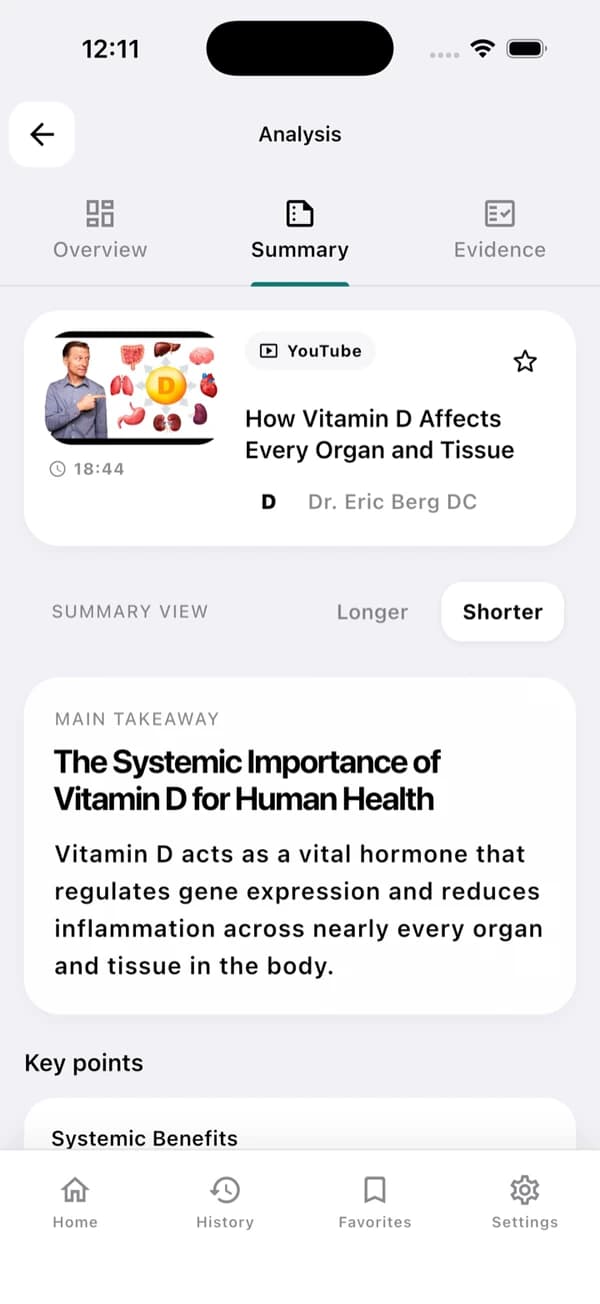
Exemplo de tela do aplicativo. O resultado muda de acordo com o vídeo e a transcrição.
A useful YouTube summary in three steps
Leia primeiro a conclusão principal e recorra às evidências quando precisar.
Install the app and share a link
Baixe o EvidenceLens na loja de aplicativos e envie para ele um vídeo do YouTube. Se preferir, cole o URL do vídeo diretamente no aplicativo.
Generate the summary
Você recebe uma conclusão principal clara, pontos principais e anotações estruturadas, tudo extraído da transcrição.
Check the claims
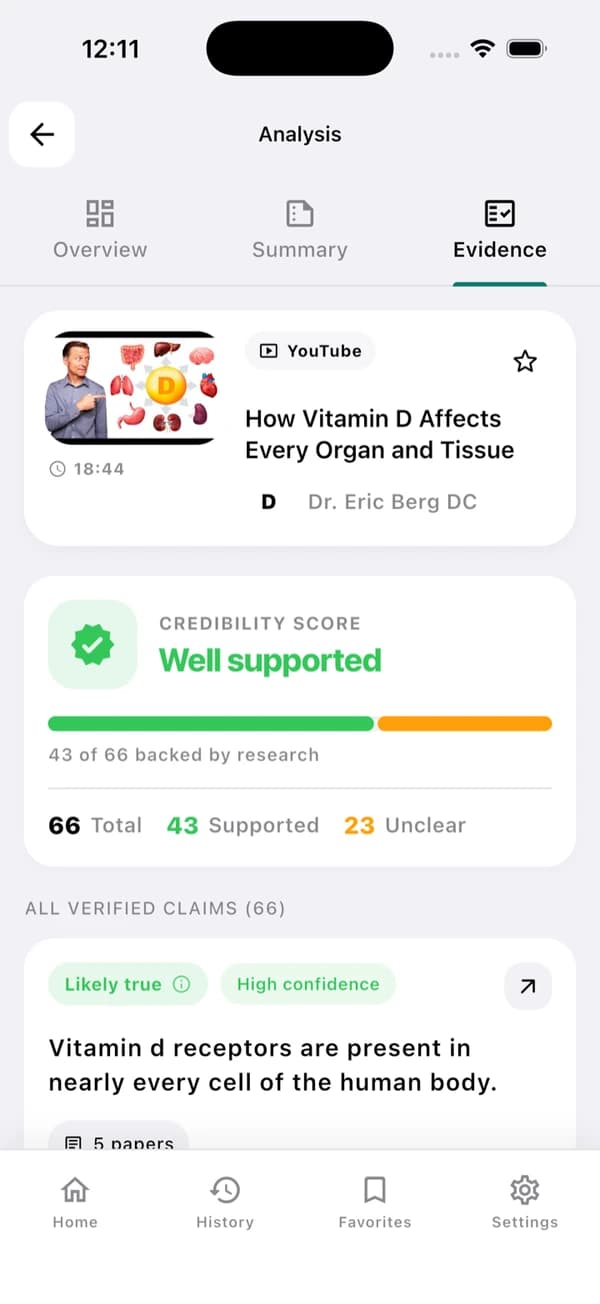
Confira os veredictos, as ressalvas e os links para as pesquisas por trás das afirmações factuais.
Understand the video — and inspect its claims
O EvidenceLens combina um resumo conciso com verificações de afirmações factuais baseadas em pesquisas. Você mesmo pode abrir as publicações citadas e analisar as limitações.
Concise video summaries
Para saber a conclusão principal e os pontos-chave, você não precisa assistir ao vídeo inteiro.
Transcript-grounded answers
As respostas se baseiam no que o vídeo realmente diz.
Research-backed claim checks
Confronte as afirmações factuais com publicações de pesquisa relevantes.
Follow-up questions
Você pode pedir esclarecimentos, contexto, marcações de tempo ou mais detalhes.
Fast answers with visible limitations
Todo resultado permanece ligado ao vídeo original e às pesquisas usadas na avaliação.
Sources you can inspect
As evidências de cada veredicto estão nos artigos citados, que você pode abrir e conferir.
Honest caveats
Se as pesquisas divergem ou são limitadas, o resultado aparece como incerto, sem ser forçado a uma resposta categórica.
Based on the transcript
Os resumos e as respostas às perguntas de acompanhamento continuam se baseando no conteúdo do vídeo.
Designed for mobile sharing
Em poucos toques, você sai do aplicativo do YouTube e chega a um resumo claro.
YouTube summarizer FAQ
O que você deve saber antes de começar.
Can EvidenceLens summarize any YouTube video?
O EvidenceLens funciona com vídeos públicos do YouTube que tenham transcrição acessível. Pode ser que um vídeo não esteja disponível para análise se for muito recente, privado, com restrição de idade ou sem transcrição.
Is the YouTube video summarizer free?
Sim. Você pode começar sem cartão de crédito: todos os meses, o plano gratuito inclui resumos, verificações de afirmações e mensagens de chat. O upgrade só é necessário se você quiser limites maiores.
Do I need to install anything?
Sim. Para usar no computador, instale a extensão EvidenceLens para Chrome. Já no Android ou no iPhone, basta instalar o aplicativo e compartilhar um link do YouTube com ele. Esta página serve para apresentar o produto; os resumos são gerados na extensão ou no aplicativo.
Does it only create an AI summary?
O EvidenceLens não se limita a escrever um resumo conciso: ele também encontra as afirmações factuais e as checa com base em pesquisas. Para cada veredicto, mostra as ressalvas e os links das publicações que o sustentam.

Make your next YouTube video easier to understand
Instale o EvidenceLens de graça para começar. Em seguida, veja os pontos principais, faça perguntas e explore as pesquisas.