Get the key points from a YouTube video
安装免费的 EvidenceLens Chrome 扩展程序后,您可以在视频旁边查看简明摘要,针对视频内容提问,并把其中的事实性观点与研究对照核实。
使用时必须安装浏览器扩展程序。该扩展程序可用于 Chrome、Edge、Brave、Opera 和 Vivaldi。
Watch the product demo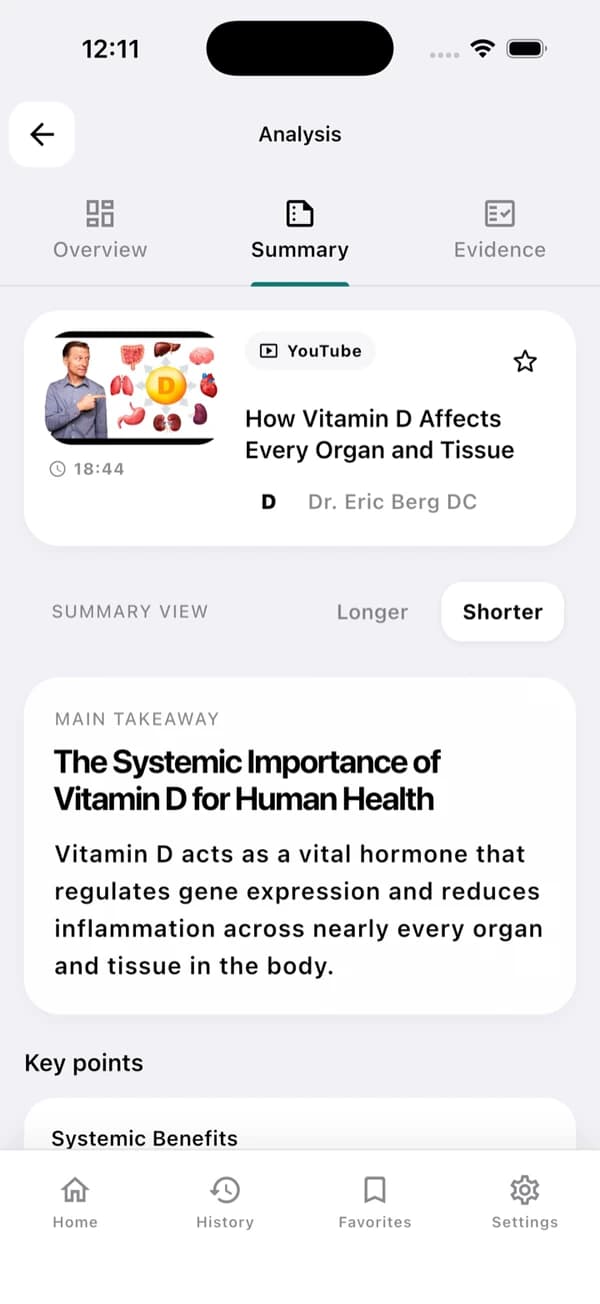
这是应用界面的示例。具体结果取决于视频本身及其转写文稿。
A useful YouTube summary in three steps
先读核心结论,需要时再去看相关依据。
Install and open a YouTube video
先到 Chrome Web Store 获取 EvidenceLens,再打开一个带有字幕文稿的视频。
Generate the summary
您将获得清晰的核心结论、要点和结构化笔记,全部取自转写文稿。
Check the claims
针对事实性陈述,您可以查看判定结果、注意事项,以及相关研究的链接。
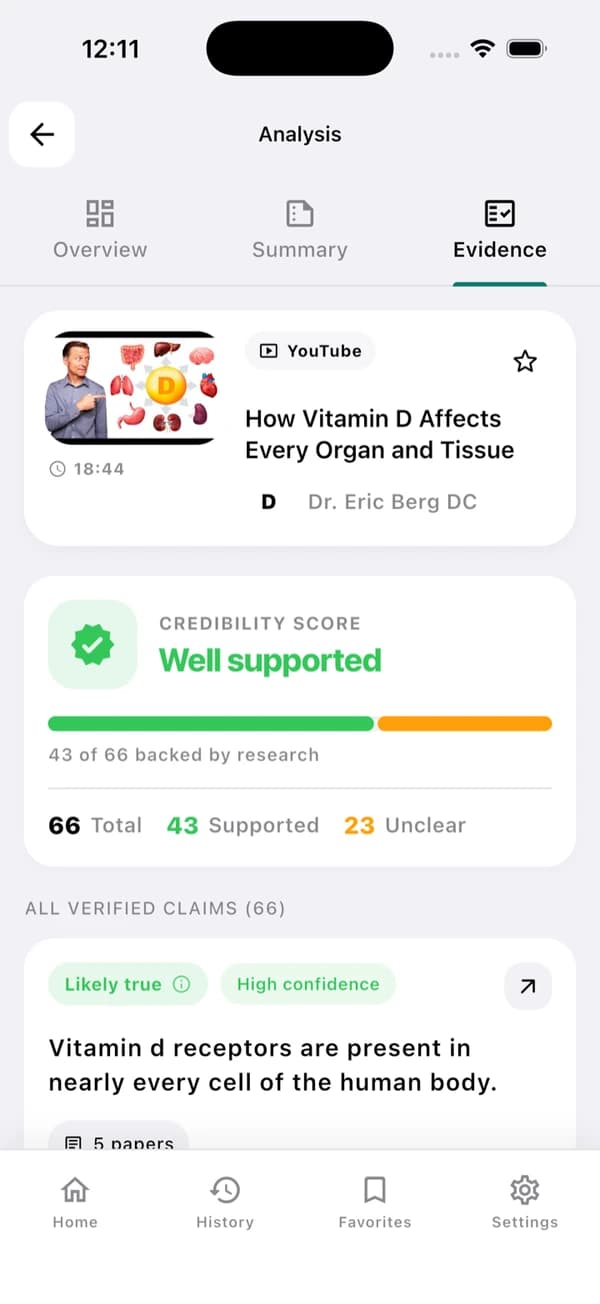
Understand the video — and inspect its claims
EvidenceLens 把简明的内容概述和以研究为基础的事实核查结合起来。引用的文献可以直接打开,您能亲自查看其中的局限。
Concise video summaries
不必看完整个视频,您也能掌握它的核心结论和要点。
Transcript-grounded answers
您得到的回答,依据的是视频的实际内容。
Research-backed claim checks
事实性陈述会与相关研究文献进行比对。
Follow-up questions
如需对内容作进一步说明,您可以直接提出,也可以询问背景、时间戳或更多细节。
Fast answers with visible limitations
每条结果都附有链接,分别指向原视频和评估该结果时所用的研究。
Sources you can inspect
想了解每项判定的依据,打开所引用的论文即可查看。
Honest caveats
如果相关研究的结论不一致,或者证据较为有限,结果会被标为不确定,而不会硬给出一个确定的答案。
Based on the transcript
无论是摘要还是后续回答,始终以视频的实际内容为准。
Beside the YouTube player
摘要和核实都能在视频页面上完成,无需跳转到其他页面。
YouTube summarizer FAQ
使用前须知。
Can EvidenceLens summarize any YouTube video?
EvidenceLens 适用于公开且带有可访问转写文稿的 YouTube 视频。刚发布不久、设为私享、有年龄限制或没有转写文稿的视频,可能无法分析。
Is the YouTube video summarizer free?
有。免费方案每月提供一定数量的摘要、陈述核查和聊天消息。开始使用无需信用卡,只有需要更高额度时才需升级。
Do I need to install anything?
可以。桌面端请安装 EvidenceLens Chrome 扩展程序;Android 或 iPhone 上请安装应用,再把 YouTube 链接分享到该应用。摘要由扩展程序或应用生成,本页面则用于介绍产品。
Does it only create an AI summary?
EvidenceLens 除了写出简明摘要,还会找出事实性陈述,并对照研究加以核查。它还会显示注意事项,并为每项判定附上所依据文献的链接。

Make your next YouTube video easier to understand
先免费安装 EvidenceLens 即可上手,之后就能获取要点、提出问题,并进一步查看相关研究。