Get the key points from a YouTube video
Una volta installata EvidenceLens, l'estensione gratuita per Chrome, avrai un riassunto conciso accanto al video, potrai porre domande su ciò che il video dice e controllarne le affermazioni fattuali alla luce della ricerca.
Serve l'estensione per browser, compatibile con Chrome, Edge, Brave, Opera e Vivaldi.
Watch the product demo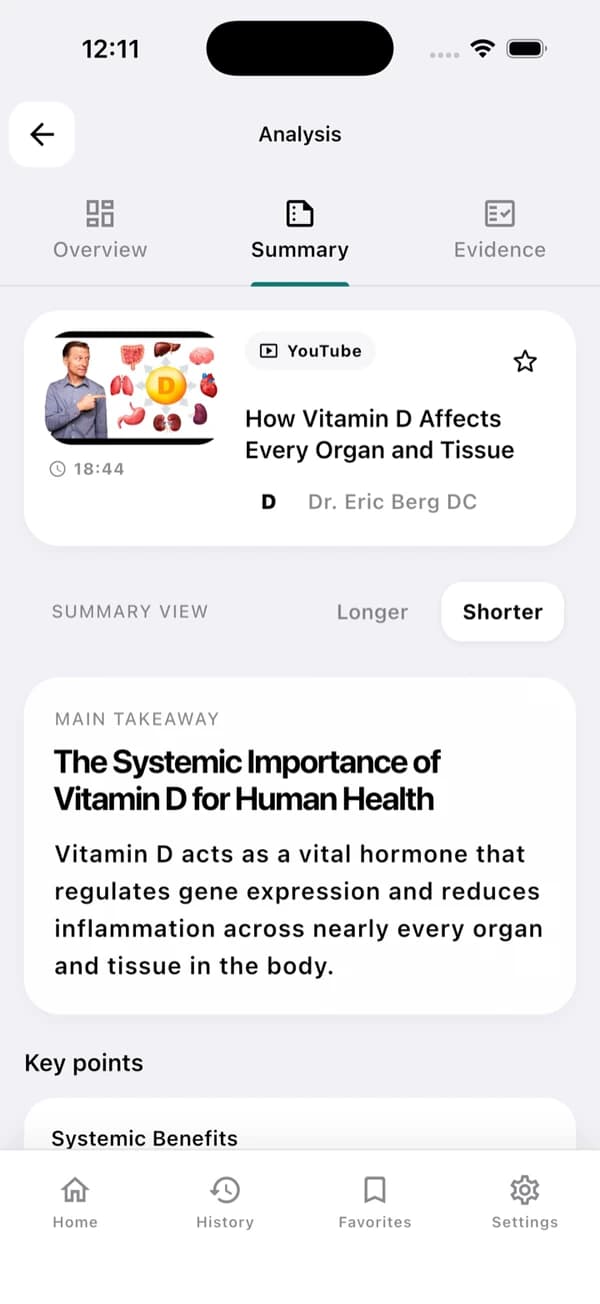
Questa è una schermata di esempio dell'app. I risultati cambiano a seconda del video e della sua trascrizione.
A useful YouTube summary in three steps
Inizia dal punto principale e, quando ti servono, consulta le prove.
Install and open a YouTube video
Scarica EvidenceLens dal Chrome Web Store e apri un video che abbia una trascrizione disponibile.
Generate the summary
Dalla trascrizione ricavi un punto principale chiaro, i punti chiave e appunti strutturati.
Check the claims
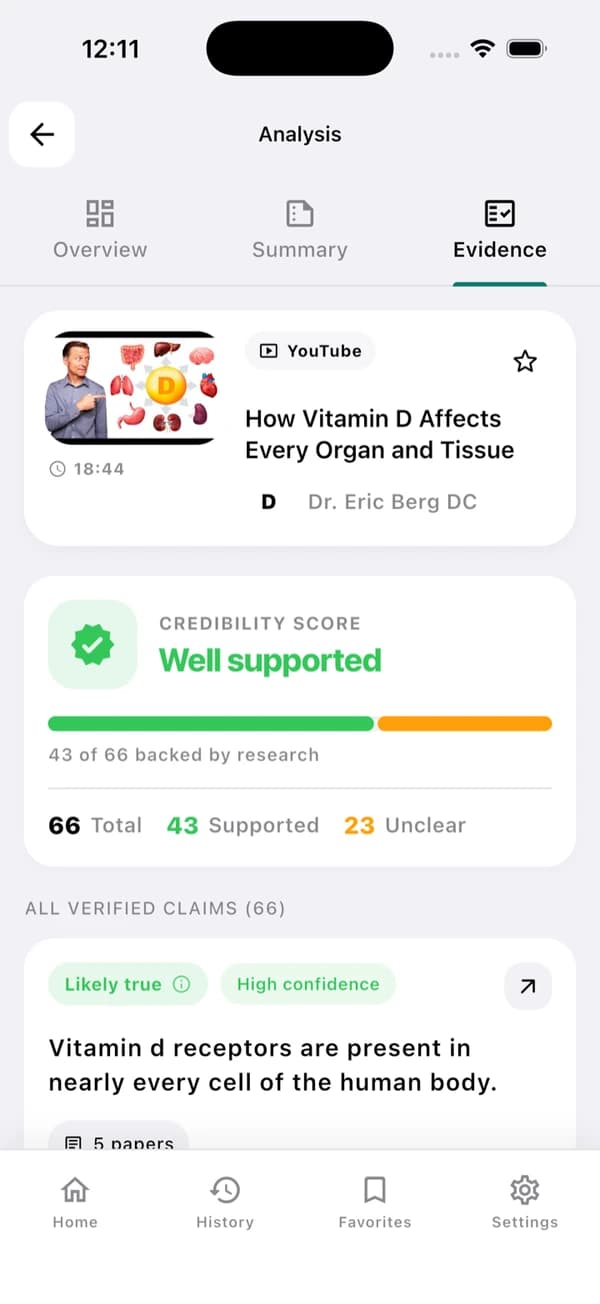
Per le affermazioni fattuali trovi i verdetti, le avvertenze e i link alle ricerche correlate.
Understand the video — and inspect its claims
EvidenceLens affianca a un riassunto conciso la verifica delle affermazioni fattuali, basata sulla ricerca. Puoi aprire le pubblicazioni citate e giudicare di persona i limiti.
Concise video summaries
Per capire il messaggio principale e i punti chiave non devi guardare l'intero video.
Transcript-grounded answers
Le risposte si basano su quello che il video dice davvero.
Research-backed claim checks
Puoi mettere a confronto le affermazioni fattuali con le pubblicazioni di ricerca pertinenti.
Follow-up questions
Puoi chiedere chiarimenti, contesto, timestamp o ulteriori dettagli.
Fast answers with visible limitations
Ciascun risultato mantiene il collegamento con il video di partenza e con le ricerche impiegate per valutarlo.
Sources you can inspect
Aprendo gli articoli citati puoi esaminare le prove su cui poggia ogni verdetto.
Honest caveats
Se la ricerca è contrastante o limitata, il risultato è segnalato come incerto e non viene forzato in una risposta sicura.
Based on the transcript
Riassunti e risposte alle domande di approfondimento restano aderenti al contenuto del video.
Beside the YouTube player
Riassumi e verifica restando sulla pagina del video.
YouTube summarizer FAQ
Cosa sapere prima di iniziare.
Can EvidenceLens summarize any YouTube video?
EvidenceLens funziona con i video pubblici di YouTube che hanno una trascrizione accessibile. Se un video è molto recente, privato, soggetto a limiti di età o privo di trascrizione, potrebbe non essere disponibile per l'analisi.
Is the YouTube video summarizer free?
Sì. Il piano gratuito comprende ogni mese riassunti, verifiche delle affermazioni e messaggi in chat. Non serve la carta di credito per cominciare, e passi a un piano superiore solo se hai bisogno di limiti più alti.
Do I need to install anything?
Sì. Su desktop ti serve l'estensione EvidenceLens per Chrome, mentre su Android o iPhone basta installare l'app e condividerle un link di YouTube. Questa pagina presenta il prodotto: i riassunti si creano nell'estensione o nell'app.
Does it only create an AI summary?
Il riassunto conciso è solo una parte del lavoro di EvidenceLens, che individua anche le affermazioni fattuali e le verifica confrontandole con la ricerca. Accanto a ogni verdetto trovi le avvertenze e i link alle pubblicazioni su cui quel verdetto si basa.

Make your next YouTube video easier to understand
Basta installare EvidenceLens per iniziare gratis: da lì potrai leggere i punti chiave, fare domande e approfondire le ricerche.