Turn a YouTube link into a clear summary
On Android or iPhone, install EvidenceLens and share a YouTube link with the app. You can then get key points, ask follow-up questions and check factual claims against research. Articles and PDFs work too.
The Android or iPhone app is required. After installing it, either share a link from YouTube or paste the link into EvidenceLens.
Watch the product demo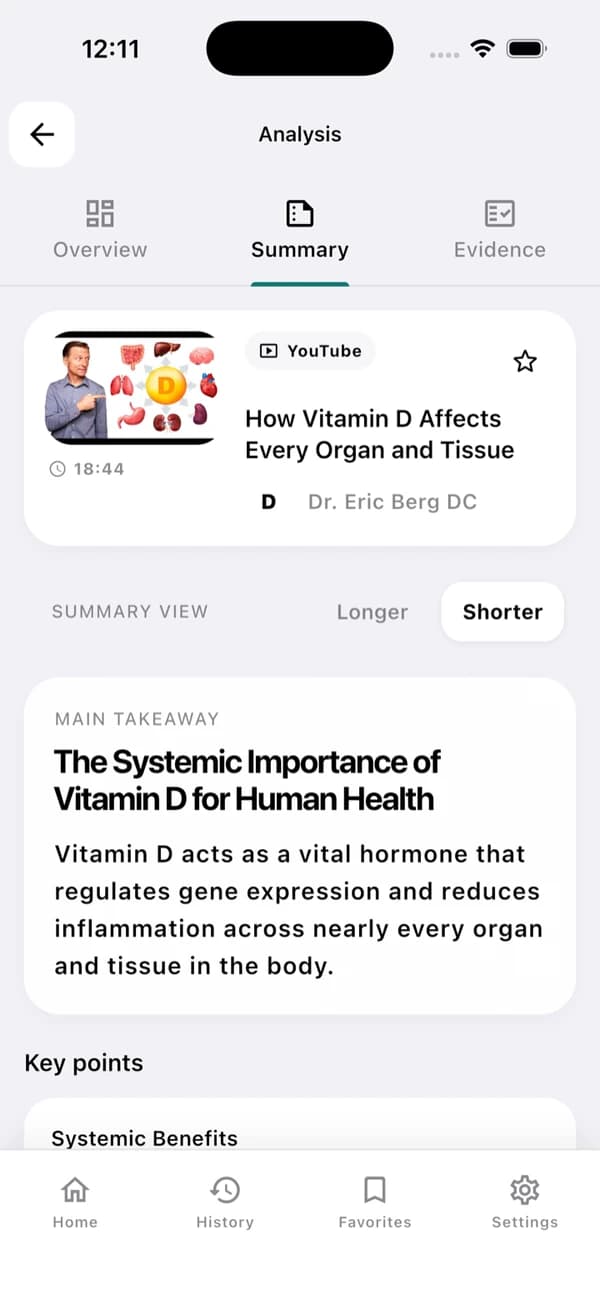
This is an example app screen. Results vary depending on the video and its transcript.
A useful YouTube summary in three steps
The takeaway comes first, and the evidence is there whenever you need it.
Install the app and share a link
Download EvidenceLens from your app store, then share a YouTube video with it. You can also paste the video's URL into the app instead.
Generate the summary
Everything comes from the transcript: a clear main takeaway, key points and structured notes.
Check the claims
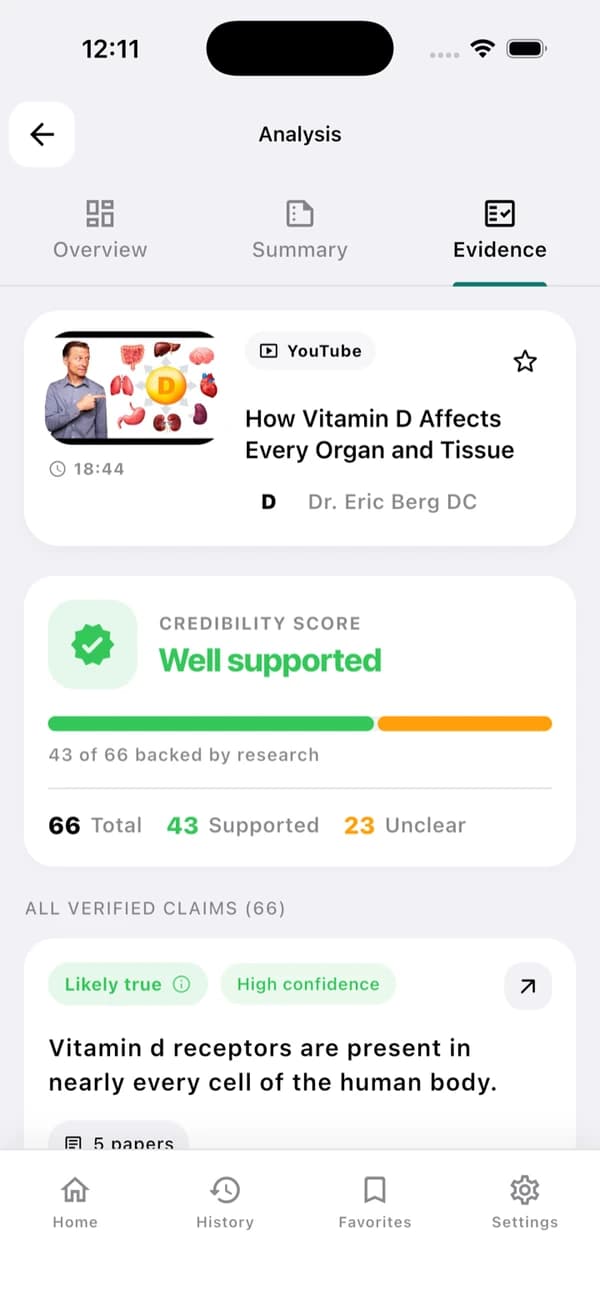
For factual claims, you can browse the verdicts, the caveats and links to the research behind them.
Understand the video — and inspect its claims
EvidenceLens brings a concise recap and research-backed checks of factual claims together. The cited publications are there to open, so you can review the limitations yourself.
Concise video summaries
You can get the video's main takeaway and key points without watching all of it.
Transcript-grounded answers
Get answers based on what the video actually says.
Research-backed claim checks
Compare factual claims against relevant research publications.
Follow-up questions
You can ask for clarification, context, timestamps or more detail.
Fast answers with visible limitations
Results stay connected to both the original video and the research used to evaluate them.
Sources you can inspect
Open the cited papers to see the evidence behind each verdict.
Honest caveats
If the research is mixed or limited, the result appears as uncertain instead of being forced into a confident answer.
Based on the transcript
Summaries and follow-up answers stay grounded in the video's content.
Designed for mobile sharing
From the YouTube app, a few taps get you to a clear summary.
YouTube summarizer FAQ
What to know before you start.
Can EvidenceLens summarize any YouTube video?
EvidenceLens works with public YouTube videos that have an accessible transcript. Videos that are very new, private or age-restricted, or that have no transcript, may not be available for analysis.
Is the YouTube video summarizer free?
Yes. The free plan includes a monthly allowance of summaries, claim checks and chat messages. You can start without a credit card, and you only have to upgrade if you need higher limits.
Do I need to install anything?
Yes. Desktop users install the EvidenceLens Chrome extension, while on Android or iPhone you install the app and share a YouTube link with it. This page explains the product; the summaries themselves are created in the extension or app.
Does it only create an AI summary?
EvidenceLens does more than write a concise summary. It picks out factual claims, checks them against research, and shows the caveats along with links to the publications behind each verdict.

Make your next YouTube video easier to understand
Install EvidenceLens for free to get the key points, ask questions and dig into the research.